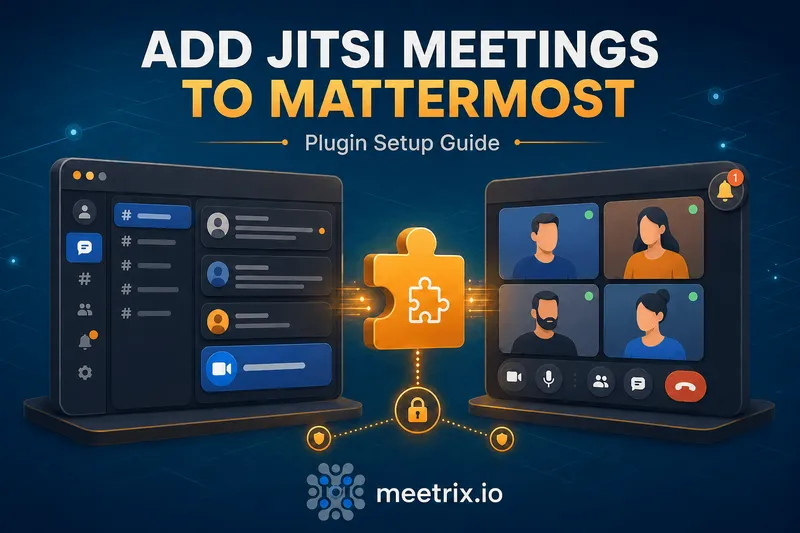
The Mattermost Jitsi plugin adds one-click video calls to any channel, /jitsi, and a meeting link lands in the conversation. Simple in theory. The part that actually trips people up is that it's not in the Mattermost Marketplace like most plugins, and the "why did my call cap out at 50 people" question has nothing to do with Mattermost at all.
This covers the actual install, the settings worth changing from their defaults, and where that participant limit really comes from.
Quick answer
Jump to a section
Installing the Mattermost Jitsi plugin
Unlike most Mattermost plugins, mattermost-plugin-jitsi isn't listed in the in-app Marketplace. Grab the latest release file from its GitHub Releases page, then upload it directly:
System Console > Plugins > Plugin Management > Upload Plugin, choose the file, and enable it once it appears in the installed list.
Community plugin, not core
Configuring the plugin
The settings under System Console > Plugins > Jitsi that actually matter:
| Setting | What it does |
|---|---|
| Jitsi Server URL | Which Jitsi instance meetings run on. Defaults to meet.jit.si. |
| Embed Jitsi video inside Mattermost | Opens calls as a floating window in the app instead of a new tab. Marked experimental. |
| Naming scheme | Random words, UUIDs, team/channel name, or user's choice each time |
| JWT settings | App ID, secret, and link expiry, for authenticated meetings on a self-hosted server |
Under the hood, the plugin is just posting a Jitsi meeting link and, in embedded mode, loading it the same way our Jitsi iframe API guide describes, an iframe pointed at your server's external_api.js. Nothing plugin-specific happening at the video layer itself.
Starting Mattermost video calls
Three ways to kick one off:
/jitsi
/jitsi Sprint planning
/jitsi settings
The first starts a call with an auto-generated name based on your naming scheme setting. The second sets a topic, useful when a channel runs several calls a day and "Jitsi Meeting" in the history isn't enough to tell them apart later. The third opens the user's personal preferences for the plugin. On desktop, the video camera icon in the channel header does the same thing as a bare /jitsi.
The participant limit problem
Here's the thing about the mattermost jitsi plugin participant limit people search for: it's not a plugin setting, there's nothing to configure or unlock. The cap comes entirely from meet.jit.si, the public Jitsi server the plugin defaults to, which limits free calls to around 50 participants.
Point the Jitsi Server URL at your own deployment instead, and that number stops being a fixed ceiling and becomes a function of your JVB's actual capacity. Our Jitsi on AWS and Jitsi on GCP guides both cover standing up a server sized for real call volume, domain, SSL, and JVB included, rather than staying on the shared public instance and its shared limits.
JWT and moderator access
Without JWT enabled, any Mattermost user (or anyone who gets forwarded the link) can join a call with no distinction between host and participant. Turning on JWT in the plugin settings, with an App ID and secret that match your Jitsi server's own JWT config, changes that: the meeting creator gets marked as moderator, and unauthenticated users can be blocked from joining at all depending on how your server enforces the token.
This only works against a self-hosted server, meet.jit.si doesn't accept your own JWT credentials for obvious reasons.
Common setup problems
- Plugin doesn't show up in Marketplace search: it's not there. Manual upload from GitHub Releases is the only install path.
- Calls fail once past a certain headcount: the participant limit issue above, check the Jitsi Server URL setting before assuming it's a Mattermost problem.
- Embedded video window shows a blank frame: the embedded mode is experimental, try the default new-tab behavior first to confirm the underlying call actually works before debugging the embed specifically.
- JWT enabled but anyone can still join: confirm the Jitsi server side has token authentication actually turned on too, the Mattermost plugin setting alone does nothing if the server isn't enforcing it.
If Mattermost itself isn't deployed yet, our Mattermost setup guide covers getting the platform running before you get to plugin configuration.
Frequently Asked Questions
Can I install the Mattermost Jitsi plugin from the Marketplace?
No, and this catches people off guard since most Mattermost plugins install that way. mattermost-plugin-jitsi has to be downloaded from its GitHub Releases page and uploaded manually under System Console > Plugins > Plugin Management.
What's the mattermost jitsi plugin participant limit?
There's no cap in the plugin itself, the limit comes from whichever Jitsi server it's pointed at. The public meet.jit.si server caps free calls around 50 participants. Point the plugin at your own self-hosted Jitsi server instead, and the real ceiling becomes your JVB's capacity, not a number Jitsi picked for a free tier.
How do users start a Jitsi call from Mattermost?
Type /jitsi in any channel, optionally with a meeting topic, or click the video camera icon in the channel header on desktop. Both post a join link into the channel that everyone in it can click.
Does the Mattermost Jitsi plugin support authentication or moderator controls?
Yes, if JWT is enabled in the plugin settings with an App ID and secret matching your Jitsi server's config. Without it, meetings are open to anyone with the link, same as using Jitsi standalone.
Can Jitsi video appear inside Mattermost instead of a new tab?
There's an embedded mode that opens Jitsi as a floating window inside the Mattermost interface rather than a separate browser tab. It's flagged as experimental in the plugin, worth testing before rolling it out broadly rather than assuming it behaves identically to the new-tab default.
Is the Mattermost Jitsi plugin still maintained?
It's a community plugin, not one Mattermost ships and supports directly, so release cadence depends on community contributors rather than a fixed schedule. Check the GitHub repo's recent commit activity before depending on it for anything mission-critical.
Get Mattermost Running on AWS First
Launch a pre-configured Mattermost server on AWS, then add the Jitsi plugin and point it at your own Jitsi deployment for calls without the public server's participant limit.
Launch Mattermost on AWS Marketplace