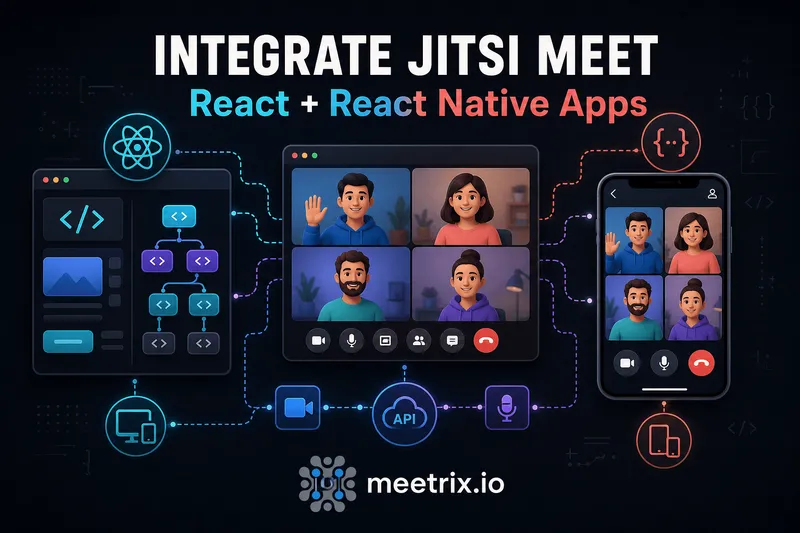
Every "jitsi react" search eventually leads to the same fork in the road: do you drop in the official SDK, or hand-roll the iframe yourself? If you're building a React app, use the SDK, it's a thin wrapper around the same iframe API, but it handles script loading and cleanup so you're not managing a script tag inside a useEffect.
This covers both official packages, @jitsi/react-sdk for web and @jitsi/react-native-sdk for iOS and Android, with working code for each and the setup problems that actually show up on a first install.
Quick answer
npm install @jitsi/react-sdk, then render the JitsiMeeting component with a domain and roomName. For React Native: npm i @jitsi/react-native-sdk, but budget time for the Metro SVG config and the Android/iOS native setup, that part isn't a five-minute job.
Jitsi React: two different SDKs
"Jitsi React" covers two genuinely different packages, and mixing them up is the first mistake people make.
| Package | Platform | Underlying tech |
|---|---|---|
@jitsi/react-sdk | React (web) | iframe + external_api.js |
@jitsi/react-native-sdk | React Native (iOS/Android) | Native SDK, no iframe |
The React web SDK is genuinely just a wrapper. If you'd rather skip the npm dependency entirely and load external_api.js yourself, our Jitsi Meet iframe API guide covers that path directly, and it's worth reading either way since the SDK's props map almost one-to-one onto the underlying API. React Native is a different animal: there's no iframe on mobile, the SDK renders a native view, which is also why its setup involves actual native project changes instead of just an npm install.
Adding Jitsi to React
Install the package:
npm install @jitsi/react-sdkThen render JitsiMeeting. This is close to the minimum viable setup:
import { JitsiMeeting } from '@jitsi/react-sdk';

function VideoRoom({ roomName, displayName }) {
  return (
    <JitsiMeeting
      domain="meet.your-jitsi-domain.com"
      roomName={roomName}
      userInfo={{ displayName }}
      configOverwrite={{
        startWithAudioMuted: true,
        disableModeratorIndicator: true,
      }}
      interfaceConfigOverwrite={{
        SHOW_JITSI_WATERMARK: false,
      }}
      getIFrameRef={(iframeRef) => {
        iframeRef.style.height = '600px';
        iframeRef.style.width = '100%';
      }}
    />
  );
}

export default VideoRoom;
If you skip domain, it defaults to meet.jit.si, Jitsi's free public server, fine for a demo, not for anything with real users. Point it at your own deployment for production, and if you haven't set one up yet, our Jitsi on AWS and Jitsi on GCP guides both walk through a self-hosted install with SSL already handled.
Next.js and other SSR frameworks
"use client" (App Router) or load it via dynamic(() => import(...), { ssr: false }) in the Pages Router. Skipping this gets you a build error, not a silent failure, so at least it's obvious when it's wrong.
Controlling the meeting programmatically
The onApiReady callback hands you the same external API object the iframe approach uses, so anything in the official Jitsi Meet API documentation for the iframe API works here too:
<JitsiMeeting
  domain="meet.your-jitsi-domain.com"
  roomName={roomName}
  onApiReady={(externalApi) => {
    externalApi.on('videoConferenceJoined', () => {
      console.log('joined the room');
    });

    externalApi.on('readyToClose', () => {
      // navigate away, close a modal, whatever fits your app
    });
  }}
  onReadyToClose={() => {
    // fires when the participant hits "leave meeting"
  }}
/>
Mute, hang up, or toggle the camera by calling externalApi.executeCommand(...) from wherever you stored that reference. Want to change the UI's colors, logo, or default language beyond what interfaceConfigOverwrite covers inline? Our Jitsi Meet frontend customization guide covers the full set of options, most of which apply whether you loaded Jitsi through this SDK or the raw iframe.
Adding Jitsi to React Native
The Jitsi meet React Native path is more involved, because you're touching native Android and iOS project files, not just adding a component. Install first:
npm i @jitsi/react-native-sdk
# if you hit peer dependency conflicts:
npm i @jitsi/react-native-sdk --force
node node_modules/@jitsi/react-native-sdk/update_dependencies.js
npm install
The SDK ships SVG assets, and Metro doesn't parse SVGs out of the box. Skip this step and your build fails on the first SVG import, not with an obviously related error message. The fix is react-native-svg-transformer, wired into metro.config.js:
// metro.config.js
const config = {
  transformer: {
    babelTransformerPath: require.resolve('react-native-svg-transformer'),
  },
  resolver: {
    assetExts: assetExts.filter((ext) => ext !== 'svg'),
    sourceExts: [...sourceExts, 'svg'],
  },
};
Android needs API level 33 as the target SDK, plus camera, microphone, and network permissions in both the debug and main manifests. iOS needs NSCameraUsageDescription and NSMicrophoneUsageDescription in Info.plist, voip in UIBackgroundModes, and a broadcast extension if you want screen sharing. None of this is optional, the app crashes on launch or on first camera access without it.
With the native setup done, the component itself is straightforward:
import { JitsiMeeting } from '@jitsi/react-native-sdk';

function VideoScreen({ roomName, displayName }) {
  return (
    <JitsiMeeting
      room={roomName}
      serverURL="https://meet.your-jitsi-domain.com"
      userInfo={{
        displayName,
      }}
      config={{
        startWithAudioMuted: true,
      }}
      eventListeners={{
        onReadyToClose: () => {
          // navigate back
        },
        onConferenceJoined: () => {
          console.log('joined');
        },
      }}
    />
  );
}

export default VideoScreen;
React Native event listeners
The prop is eventListeners, not onApiReady, the React Native SDK's event model is separate from the web SDK's, since there's no iframe or external API object underneath. The ones worth wiring up in most apps:
onConferenceJoined, fires once the participant is actually in the roomonReadyToClose, fires when the user leaves, the point to navigate away from the screenonParticipantJoined/onConferenceLeft, useful for a custom in-call participant list or leave confirmationonAudioMutedChanged/onVideoMutedChanged, if you're rendering your own mute-state UI outside the built-in controls
Common integration gotchas
A short list of what actually goes wrong, based on the issues that come up most in both SDKs:
- Wrong domain, silent failure. If
domainorserverURLpoints at a server that isn't running Jitsi, you get a blank frame or an endless spinner, not a clear error. - JWT mismatch. A token signed for the wrong room name or the wrong
aud/issclaim gets rejected by the server, and the client-side error is unhelpfully generic. - Forgetting the client-only boundary in React. This is the most common one in Next.js specifically, covered above, but it catches Remix and Gatsby SSR setups too.
- Skipping the Metro SVG config in React Native. The build error points at an SVG file, not at "you forgot the transformer," so it's easy to lose an hour here the first time.
- Assuming
meet.jit.siis fine for production. It's a shared public server with no uptime guarantee and no room for your own auth or branding. Fine for a prototype, not for anything real.
If you want the bigger picture of how a Jitsi deployment fits together, JVB, Jicofo, Prosody, before you're debugging why a room won't connect, our Jitsi architecture breakdown covers what's actually running behind that domain string. And if you're newer to Jitsi generally, our intro to what Jitsi is is the place to start.
Self-hosting your Jitsi backend
Both SDKs are just a client. They still need a real Jitsi Meet deployment behind that domain, running Jicofo, Prosody, and at least one JVB to actually route media. Standing that up by hand is a real afternoon of work, security groups, SSL certs, JVB tuning for concurrent call capacity, before you write a line of React.
Meetrix's pre-configured AMIs skip that part. The 250-user edition comes with SSL and the JVB already sized for that concurrency, so you're pointing your app's domain prop at a working server the same day instead of debugging Prosody configs.
Frequently Asked Questions
What's the actual difference between Jitsi React and the iframe API?
The React SDK (@jitsi/react-sdk) wraps the same iframe and external_api.js under the hood, it's not a separate integration path. Use the SDK for a React app, it manages the script loading and cleanup for you. Use the raw iframe API when you're not in React, or want manual control over the script tag.
Is there an official Jitsi React Native SDK?
Yes, @jitsi/react-native-sdk, published and maintained by the Jitsi team. The older community package react-native-jitsi-meet is not the one to reach for in a new project, it's not the officially maintained path anymore.
Do I need a Jitsi server to use the React SDK?
No. Omit the domain prop and JitsiMeeting defaults to meet.jit.si, Jitsi's free public server, which is fine for testing. For anything with real users or JWT-gated rooms, point domain at your own self-hosted instance.
Why does my Jitsi React Native build fail on SVG imports?
The SDK ships SVG assets, and Metro doesn't handle those by default. You need react-native-svg-transformer wired into your metro.config.js before the app will build, this trips up almost everyone on their first install.
Can I use the Jitsi React SDK with a JWT-authenticated room?
Yes, pass a jwt prop to JitsiMeeting with a token signed for your domain and room. Without it, anyone with the room name can join if your server allows anonymous access.
Does the Jitsi React SDK work with Next.js?
Yes, but JitsiMeeting touches the DOM directly and needs to run client-side only. Wrap it in a client component (or dynamic import with ssr: false in the Pages Router) so it doesn't execute during server rendering.
Get a Jitsi Backend Running Today
Skip the server setup and point your React or React Native app at a pre-configured, 250-concurrent-user Jitsi Meet deployment with SSL already handled.
Launch Jitsi Meet 250-User on AWS