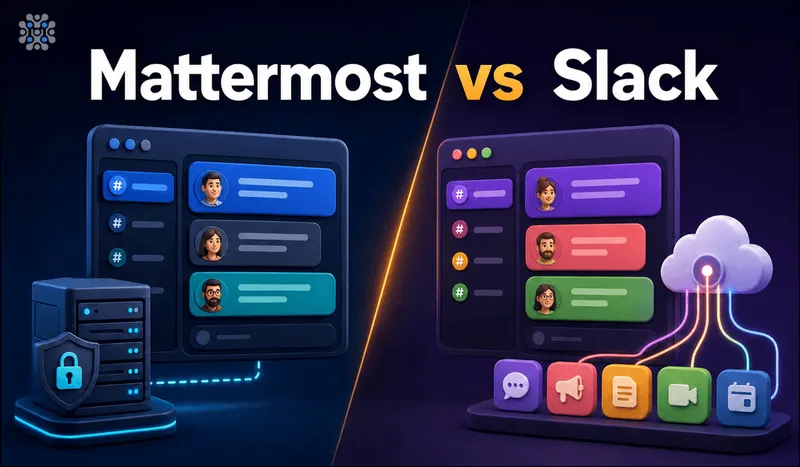
Meetrix packages Mattermost as a pre-configured AWS AMI, so read the Mattermost section below with that in mind. Mattermost vs Slack comes down to this: pick Slack if you want zero infrastructure to manage and the deepest third-party app ecosystem, and you can absorb per-seat costs that climb with headcount. Pick Mattermost if you need the data on your own servers, want to avoid per-seat SaaS pricing at scale, and have someone who can own a Linux box. Neither is the wrong tool. The wrong tool is picking Slack without checking the free plan's 90-day history limit, or picking Mattermost without a plan for who patches it.
Quick answer
Jump to a section
When Mattermost is the right call
Pick Mattermost if your organization has a compliance, data-residency, or budget reason to keep chat data off a third party's servers, and you already run other self-hosted infrastructure. As a Slack alternative open source teams can actually audit and modify, Team Edition is MIT licensed and free for deployments under 250 users where single sign-on isn't required, which covers a lot of small and mid-size engineering teams outright. If you're already paying for EC2 instances and running your own Postgres, adding Mattermost to that stack is a marginal cost, not a new one.
Key facts
- Team Edition: MIT licensed, free, unlimited seats under 250 users, no SSO required
- Self-hosted by default, chat data stays on infrastructure you control
- Professional: $10/user/month (annual), caps at 250 users
- Enterprise: scales to 50,000 concurrent users, 200,000 on Enterprise Advanced
When Slack is the right call
Pick Slack if nobody on the team wants to own a server, or if your organization depends on third-party integrations that assume Slack specifically, not a generic Slack-compatible API. Slack's App Directory has thousands of listed integrations built and maintained by the vendors themselves. Mattermost supports Slack-compatible incoming webhooks and has its own plugin system, but the breadth of pre-built, vendor-maintained integrations isn't close. If your team's Zendesk, PagerDuty, and Google Calendar workflows already assume Slack, rebuilding that on Mattermost is real, ongoing work.
Key facts
- Free plan: $0, but message history caps at 90 days with no listed export option
- Pro: $7.25/user/month (annual), $8.75 monthly, removes the history cap
- Business+: $15/user/month (annual), $18 monthly, adds admin data export and a 99.99% uptime SLA
- Thousands of vendor-maintained integrations in the Slack App Directory
Cost
Mattermost pricing vs Slack pricing splits into two different models entirely, one per-seat and recurring, one tied to server size and mostly fixed. Slack's Free plan costs nothing but caps message history at 90 days and, per Slack's own pricing page, doesn't list any data export capability for admins. Pro is $7.25 per user per month billed annually ($8.75 billed monthly) and removes the history cap. Business+ is $15 per user per month annually ($18 monthly) and adds workspace-wide data export for admins. Enterprise Grid pricing isn't published; Slack requires contacting sales, and third-party procurement data from Vendr puts negotiated Enterprise deals in the $21.95 to $28.10 per user per month range, with a reported median around $26.18.
Mattermost's Team Edition is free at any team size under 250 users, full stop, no per-seat fee. Professional is $10 per user per month billed annually and caps out at 250 users; past that you need Enterprise, which Mattermost prices by negotiation and doesn't publish. Run the math on a 100-person team: Slack Business+ runs roughly $1,500 a month before add-ons. Mattermost Team Edition, self-hosted, costs whatever the server costs, typically a fraction of that, plus someone's time to run it. That time has a cost too; it's just not a line item on an invoice.
Setup and who runs it
Slack setup is signing up and inviting people. There's no server to provision, no TLS certificate to renew, no database to back up. That's the entire pitch, and it's a real one.
Mattermost setup means standing up a server, a Postgres or MySQL database, and TLS termination, then keeping all three patched. A single Docker Compose file gets a small team running in under an hour, but production hardening (backups, monitoring, upgrade testing before you apply a patch to a system people rely on daily) is ongoing work, not a one-time task. This is the tradeoff the free license doesn't show you: Team Edition costs nothing in dollars and something in someone's calendar, every month, indefinitely. Upgrading between major server versions also means reading release notes for breaking changes yourself, something Slack's engineering team absorbs on your behalf every time they ship.
Support and reliability
Mattermost, by tier
- Team Edition (free)No SLA of any kind; community forums are the support channel
- ProfessionalOptional paid support, business-hours coverage, next-business-day response target
- Enterprise24/7 coverage, four-hour response time, optional Premier Support add-on for faster guarantees
Slack, by tier
- ProNo comparable formal response-time SLA
- Business+99.99% monthly uptime SLA, 24/7 support, four-hour guaranteed first response
- Enterprise GridMatches Business+'s uptime figure, adds a dedicated account and customer success team
Community support is normal for open source software and fine for teams with the in-house skill to debug their own server. But below Mattermost's Enterprise tier, uptime is entirely your team's responsibility; there's no vendor SLA to fall back on when the server goes down at 2 a.m., only your own monitoring and whoever is on call.
Permissions and admin control
Slack's permission model is role-based (owner, admin, member, guest) with more granular controls unlocked on paid tiers, and it's managed through a web console with no server access required. Mattermost's System Console offers comparable role-based permissions plus, because you're self-hosted, direct database access if you ever need to fix something the UI won't let you fix. That direct access cuts both ways: it's powerful, and it's also a way to break things a SaaS vendor would normally protect you from. Neither vendor publishes a feature-by-feature permissions matrix simple enough to summarize honestly in one sentence, so treat this criterion as roughly comparable rather than a clear win for either side.
Scale
Mattermost Professional caps at 250 users; Enterprise scales to 50,000 concurrent users, and a newer Enterprise Advanced tier (announced for defense, intelligence, and critical infrastructure customers) scales to 200,000. Slack doesn't publish a hard technical ceiling on Enterprise Grid, since it's built for organizations with tens of thousands of employees across multiple connected workspaces; the constraint at that scale is budget, not architecture, on either side.
Mattermost vs Slack: the facts
| Criterion | Mattermost | Slack |
|---|---|---|
| Free tier | Team Edition, unlimited seats under 250 users, no SSO | Free plan, 90-day message history cap |
| Entry paid tier | Professional: $10/user/month (annual), max 250 users | Pro: $7.25/user/month (annual), $8.75 monthly |
| Mid paid tier | N/A (next step is Enterprise) | Business+: $15/user/month (annual), $18 monthly |
| Top tier pricing | Enterprise: negotiated, not published | Enterprise Grid: negotiated, ~$21.95-$28.10/user/month per third-party procurement data |
| Max scale (published) | 50,000 concurrent (Enterprise), 200,000 (Enterprise Advanced) | Not published; designed for large multi-workspace orgs |
| Self-hostable | Yes, this is the default deployment model | No, SaaS only |
| License (free tier) | MIT (Team Edition) | Proprietary |
| Data export on free tier | Full, it's your own database | Not offered per Slack's pricing page |
| Data export on paid tiers | Full, direct database access | Admin export from Pro and Business+; Discovery API and legal holds on Enterprise Grid |
| Current version | Server v11.7.x (Extended Support Release) | Not applicable, continuously deployed SaaS |
Migration and lock-in
Leaving Slack depends entirely on which tier you're on when you leave. On the Free plan, Slack's own pricing page doesn't list any data export option for admins, which means teams that never upgraded may not have a clean way to pull their full history out. On Pro and Business+, admins can export workspace data, but standard exports only cover public channels; pulling private channels and direct messages requires Enterprise Grid's Discovery API or a Slack-assisted Corporate Export. If you built years of institutional knowledge in private channels on a Pro plan, getting it out cleanly is not guaranteed.
Moving that data into Mattermost has an actual documented path: Mattermost publishes an open source command-line tool, mmetl, that converts Slack's export format into Mattermost's bulk-import format, then mmctl uploads it to the server. It works. It's also a real project with edge cases around file attachments and thread structure, not a one-click button.
Leaving Mattermost is comparatively simple in one sense and harder in another. The chat data lives in your own Postgres or MySQL database in a documented schema, there's no vendor holding it hostage. But if you've built custom plugins against Mattermost's plugin API, or wired internal tools to its webhooks, that integration code doesn't migrate anywhere automatically. You wrote it, you rewrite it.
Where each one falls short
Mattermost
- Mobile apps and UI polish lag Slack's, the clients are functional, not delightful
- Free-tier search is basic; matching Slack's default search means self-configuring Elasticsearch or OpenSearch, an Enterprise-tier feature
- No equivalent to Slack Connect, there's no way to share a channel directly with a separate organization's instance
- You own the 2 a.m. page when the database fills the disk, a cost that never shows up on a SaaS invoice
Slack
- Free plan's 90-day history cap is easy to miss until a needed message from months ago is already gone
- Per-seat pricing turns into a five- or six-figure annual line item once you're past a few hundred people
- No self-hosting path at any price, disqualifying on its own for hard data-residency requirements
- Export capability is gated by plan tier: what you can get out depends on what you're paying right now
Mattermost vs Slack isn't close on ecosystem depth or UI polish, Slack wins both clearly. It isn't close on cost at scale or self-hosting, either, and there Mattermost wins clearly. Recommend against Mattermost specifically if your team has zero capacity to own a Linux server, the ops burden will cost more in frustration than the license fee ever would have. Recommend against Slack specifically if a regulator, a client contract, or your own data-residency policy requires that chat data never leave infrastructure you control, no pricing tier fixes that.
Our Mattermost deployment guide covers the self-hosted setup end to end, including the TLS and backup steps this article only gestures at. If Mattermost's ecosystem still feels thin for your use case, Rocket.Chat, which we also deploy, adds omnichannel customer-facing support on top of the same self-hosted model; our Rocket.Chat AWS setup guide covers that path.
Frequently Asked Questions
Is there a Slack self hosted option?
No. Slack has no self-hosting path at any price tier, it's SaaS only. If chat data has to stay on infrastructure you control, that rules Slack out regardless of how good the product is otherwise.
What is a good open source Slack alternative?
Mattermost. Team Edition is MIT licensed and free for deployments under 250 users where SSO isn't required, and it's self-hosted by default rather than as an afterthought.
How does Mattermost pricing compare to Slack at scale?
On a 100-person team, Slack Business+ runs roughly $1,500 a month before add-ons. Mattermost Team Edition, self-hosted, costs whatever the server costs, typically a fraction of that, plus someone's time to run it.
Can I migrate my Slack history into Mattermost?
Yes, using mmetl, Mattermost's own open source command-line tool that converts Slack's export format into Mattermost's bulk-import format. It works, but it's a real migration project with edge cases around file attachments and thread structure, not a one-click button.
Which is better for a small team, Mattermost or Slack?
Slack, if nobody on the team wants to own a server. Mattermost, if the team already runs other self-hosted infrastructure and wants to avoid per-seat billing before it starts. Team size alone doesn't decide it, who's available to patch a server does.
What happens to Slack data on the free plan if we never upgrade?
Message history caps at 90 days, and Slack's own pricing page doesn't list any data export option for the free plan. Teams that stay on Free indefinitely may not have a clean way to pull their full history out later.
Run Mattermost Without Managing the Server Yourself
Launch a pre-configured Mattermost server on AWS, TLS and backups already sorted, if you want the cost profile of self-hosting without doing the ops work from scratch.
Get Mattermost on AWS Marketplace