Running Your Own Mail Server, Without the 2am Surprises
Setting up your own mail server sounds easy on paper. Then you actually try it. Suddenly you're staring at DNS records, DKIM keys, and a spam filter that either blocks your own invoices or lets every phishing email straight through. Email does not forgive mistakes - get one DNS record wrong and your outbound mail just vanishes into spam folders. Most people do not find out until a client asks why they never got the invoice.
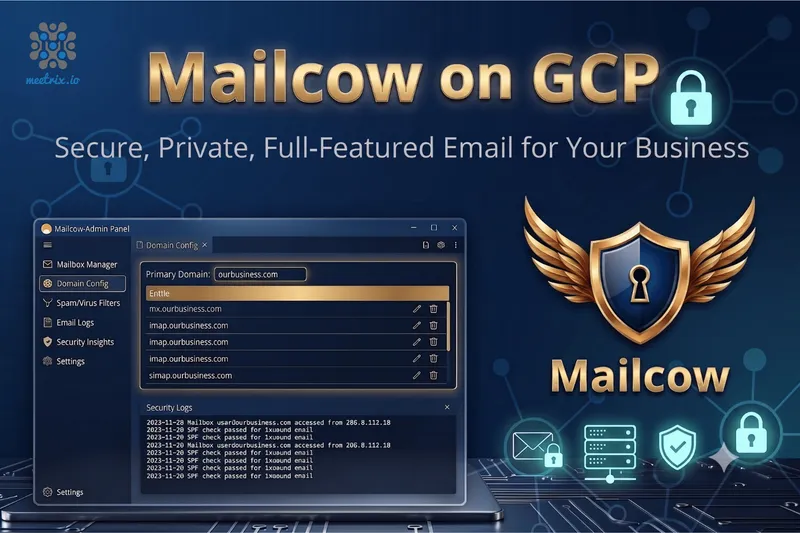
That is the problem the Mailcow Mail Server on GCP Marketplace solves. We took Mailcow - Postfix, Dovecot, SOGo webmail, Rspamd, ClamAV, all of it - and wired it together the way we would want it wired if we were running it ourselves. Launch it, and you have a working mail server on your own Google Cloud project. Not five separate services you still have to introduce to each other.
What is Mailcow?
Mailcow is an open-source mail server that runs entirely in Docker. Under the hood, it is Postfix and Dovecot doing the actual sending and receiving, SOGo handling webmail and calendars, Rspamd catching spam, and ClamAV scanning attachments for malware. It is not just an SMTP server with a UI bolted on - it is the whole stack, managed from one admin panel where you add domains, create mailboxes, and set policies without ever opening a config file.
If you have ever wanted to drop a per-seat email subscription but worried you would lose webmail, shared calendars, or spam protection in the process, Mailcow is built to cover that gap. It is about as close as you will get to running your own Google Workspace, minus the monthly bill per mailbox.
Why Where Your Email Lives Actually Matters
How Deployment Works
Doing this yourself usually eats a full afternoon, if not more. Through the Marketplace, it is four steps:
- Launch from GCP Marketplace Open the Meetrix Mailcow listing, pick your region and machine size, and hit Deploy. The Docker stack - Postfix, Dovecot, SOGo, Rspamd, and ClamAV - comes up already talking to each other.
- Point Your Domain Add the MX, A, and PTR records for your mail domain (mail.yourdomain.com, for example) so they point at the instance's external IP. Mailcow's admin panel tells you exactly what it is expecting, so there is no guessing.
- SSL and Mail Authentication Switch On The instance grabs a Let's Encrypt certificate for webmail and mail services. The admin panel also generates your DKIM key, which you will publish in DNS along with SPF and DMARC.
- Create Mailboxes and Go Live Add your domains and mailboxes from the admin UI. Hook up your mail client over IMAP/SMTP, or just use SOGo's webmail. That is it - you are sending and receiving.
What Meetrix Brings to This Deployment
- We Already Made the Mistakes So You Do Not Have To - The image ships with a tested Docker Compose setup, the right firewall rules for SMTP, IMAP, and submission, and SSL that just works. Most of the pain in a DIY Mailcow setup is getting these details right - we already did that part.
- Spam Filtering That Is Actually Tuned - Rspamd and ClamAV are switched on and configured, not just installed. A lot of DIY setups either block too much or let spam straight through because nobody tuned the filter rules.
- People Who Actually Run Mail Servers - Our team deals with DNS authentication and mail deliverability regularly. If something is not landing right, you are talking to someone who can read an SPF record, not a ticket queue working from a script.
- It Is Your GCP Project, Not Ours - The server runs in whatever region you pick, inside your own account. Every mailbox and attachment stays there - we just set it up.
- No Per-Mailbox Bill - Mailcow does not charge per seat. You pay GCP for the compute and storage, and that is it, whether you have 5 mailboxes or 500.
Who Is Mailcow on GCP Right For?
This is not for everyone - if you want zero responsibility for your mail server, a hosted plan is still simpler. But it is a strong fit if you are:
- Tired of paying per seat for hosted email and want to cut that cost
- In a regulated industry where email has to stay in a specific region
- An agency or MSP juggling email for a bunch of client domains
- A startup that wants to own its email infrastructure from day one
- Just not comfortable with a third party reading your company's mail
- Replacing an old Exchange or Postfix box that nobody wants to touch anymore
Mailcow on GCP by Meetrix vs Alternatives
| Feature | Mailcow on GCP by Meetrix | Google Workspace | Zimbra | Self-Hosted Mailcow (Manual) |
|---|---|---|---|---|
| Hosting | Your GCP account, fully self-hosted | Google's cloud | Self-hosted or Zimbra-hosted | Your GCP VM, set up by you |
| Data Control | Total - your mail never leaves your project | Google holds and processes your mail | Total, if you self-host it | Total, if you got the config right |
| Deployment Time | Minutes via GCP Marketplace | Minutes, but you are locked into Google's platform | Hours to days | Hours to days, more if something goes wrong |
| SSL & Mail Auth | Automated, plus we hand you the DKIM/SPF/DMARC records | Handled by Google | Manual, or a paid support plan | Manual - easy to get wrong |
| Pricing Model | Just GCP compute costs - no per-mailbox fee | Per-user monthly subscription | Free community edition or a per-user license | Just GCP compute costs |
| GDPR / Data Residency | Pick your GCP region, data stays put | Google's data processing terms apply | Depends how you host it | On you to configure correctly |
| Support | Meetrix infrastructure engineers, 24/7 | Google's support tiers | Community forums or paid tiers | Community forums, or you fix it yourself |
Frequently Asked Questions
What is Mailcow and how is it different from a hosted mail service?
Mailcow bundles Postfix, Dovecot, SOGo webmail, Rspamd, and ClamAV into one Docker-based mail server you run yourself. With something like Google Workspace or Microsoft 365, your mail lives on their servers. With Mailcow, it lives on yours - in your own cloud project, under your own control.
How is this different from installing Mailcow myself on a GCP VM?
Doing it yourself means picking a compatible OS, installing Docker, generating SSL certificates, opening the right firewall ports, setting up DKIM, SPF, and DMARC, and tuning Rspamd so it does not eat your real mail. That is easily a weekend gone. Our image already has all of that done and tested, so you are starting from a working server, not a blank VM.
Will my outbound mail actually land in the inbox and not in spam?
Deliverability comes down to more than just the mail server software - DKIM signing, SPF, DMARC, and your sending IP's reputation all matter. We set up DKIM for you and hand you the exact SPF and DMARC records to add to your DNS. That covers the technical side. Reputation still has to build up over time by sending consistent, low-complaint mail - nobody can shortcut that part.
Can Mailcow on GCP handle a growing team or multiple domains?
Yes. Mailcow does not cap how many domains or mailboxes you run - the only real limit is the GCP machine type you pick. As your team or mailbox count grows, you resize the instance. If you are not sure what size you will need, we can help you figure that out before you grow into a problem.
How Teams Use This in Production
Dropping a Per-Seat Mail Bill Without Losing Anything
The problem
A 40-person consultancy was tired of paying per seat for hosted email every month, but did not want to lose webmail, calendars, or shared mailboxes in the switch. Nobody on staff had ever run a mail server before.
What we did
We deployed Mailcow on GCP, migrated their existing mailboxes, and set up DKIM, SPF, and DMARC carefully so nothing got flagged as spam during the cutover. We checked mail flow was solid before we let them cancel the old plan.
"We were paying per seat for stuff we could run ourselves. Meetrix moved us over with zero disruption and our bill dropped from the first month." Operations Director, Consultancy, Netherlands
Keeping Patient Emails Off Someone Else's Servers
The problem
This healthcare provider's compliance policy would not allow anything referencing patients to sit on infrastructure outside their direct control. No hosted mail provider's terms came close to satisfying that.
What we did
We deployed Mailcow inside their own GCP project, in the region their policy required, hardened the firewall, and wrote up the configuration so their compliance team had something concrete to review.
"Compliance wanted a straight answer about where our email actually lives. Meetrix gave us something we could put in front of an auditor without flinching." IT Manager, Healthcare Provider, Canada
One Mail Platform Instead of Twelve Different Logins
The problem
This MSP was juggling email for a dozen small business clients spread across different hosting providers. Support was inconsistent, billing was a mess, and nobody enjoyed switching between a dozen admin panels.
What we did
We sized a single Mailcow instance for multi-domain use, brought all twelve client domains onto it, and set separate mailbox quotas and spam policies for each one through the admin panel.
"Supporting twelve different mail setups was eating our week. Now it is one panel, one bill, and our support time per client actually went down." Founder, Managed IT Services, Philippines
Get Your Mailcow Server Running on GCP
Stop paying per mailbox for email you could just run yourself. Deploy Mailcow on Google Cloud in minutes, set up by people who actually run mail servers for a living.
Deploy on GCP Marketplace